
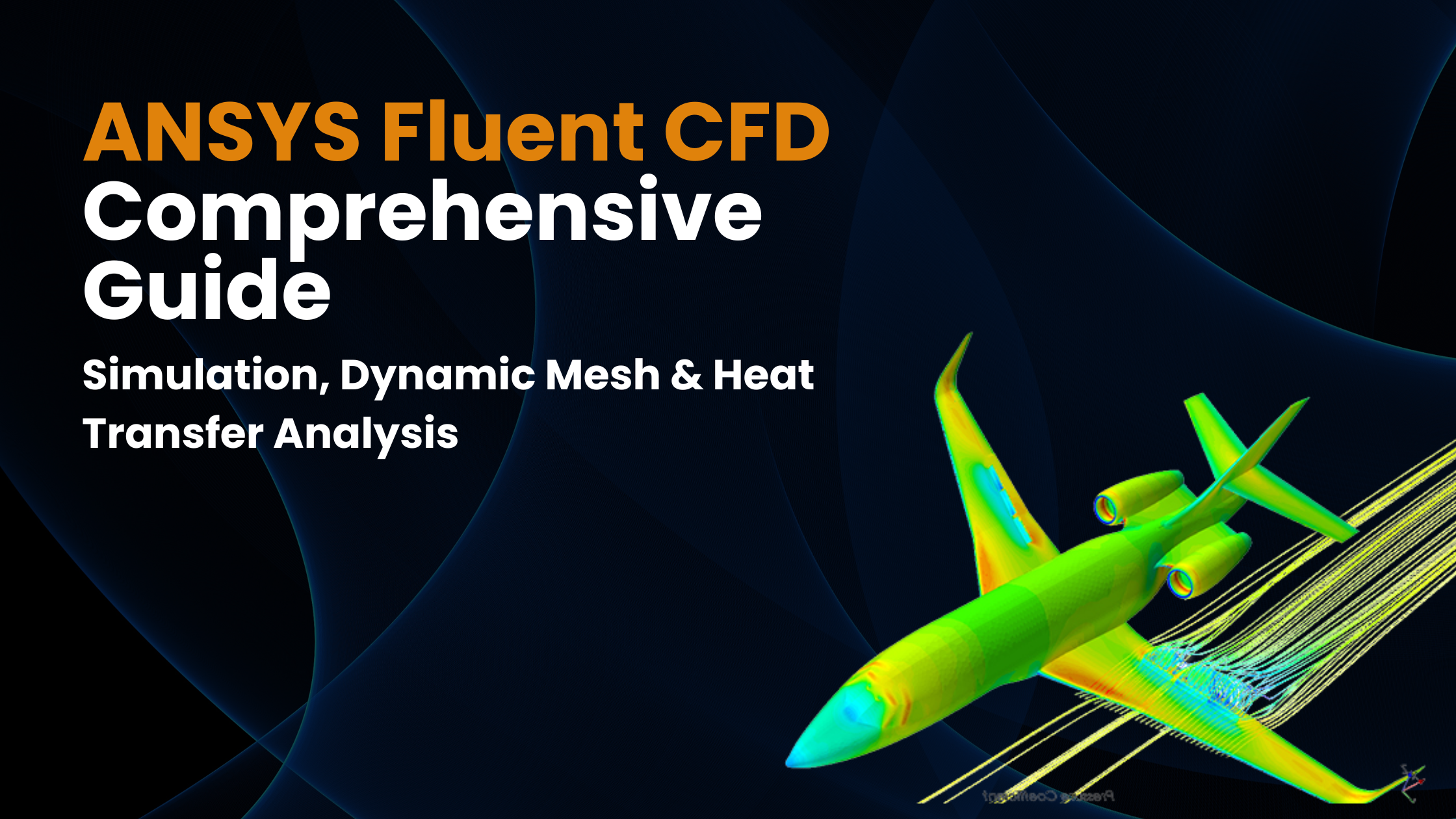
What is Ansys Fluent CFD
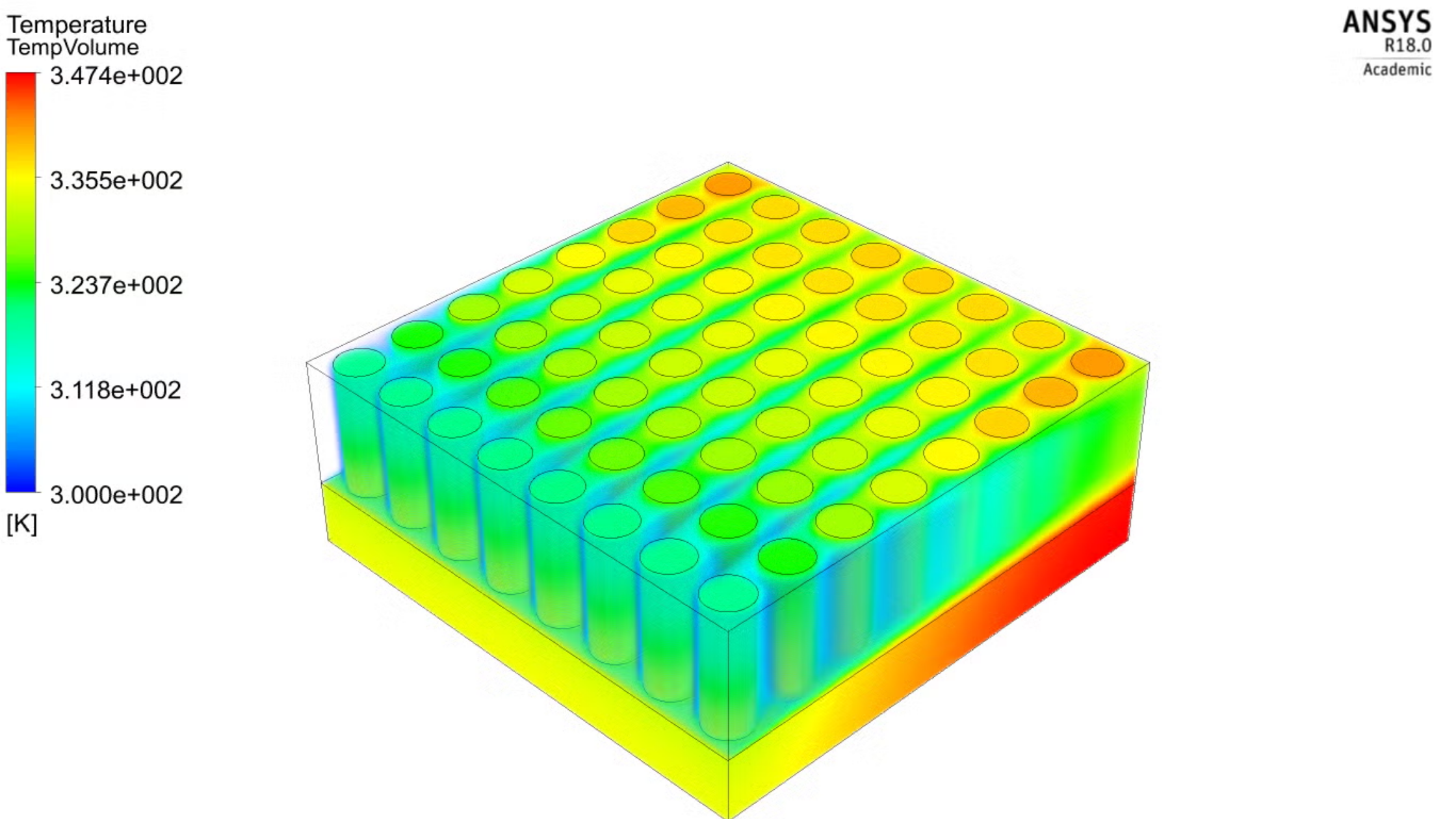
ANSYS Fluent CFD is regarded as one of the most commonly and widely used computational fluid dynamics software. ANSYS Fluent is used by engineers and researchers to simulate fluid flow, heat transer and understand chemical reactions under complex geometries.
It helps deliver comprehensive modelling capabilities for analyzing fluid behaviours in both simple and highly complex environments.
Ansys Fluent CFD Software: Key Capabilities
What makes Ansys Fluent CFD Software different is its depth of physics, like the model and the kind of flexibility it offers to all the users at every skill level. Its capabilities are backed by robust solvers, intelligent meshing, and powerful post-processing tools into a single, seamless workflow
Advanced Physics and Modeling Capabilities
Ansys Fluent is supported by a wide range of physical models, which helps enable realistic ANSYS CFD simulation of complex systems. Engineers can choose from multiple turbulence models, ranging from standard k–? models for general applications to advanced k–? SST, LES, and DES models for high-accuracy flow prediction.
For multiphase flows, Fluent can help simulate interactions between liquids, gases, and particles, making it ideal for applications such as bubble columns, sprays, and mixing processes.
Post-Processing and Validation Features
Ansys Fluent CFD Software gets transformed at the time of post-processing. Where the raw data is studied with meaningful insights. Which helps users to visualize results using contour
These tools give our results in a simpler manner, which helps to interpret results, validate designs, and confidently apply ANSYS CFD simulation outcomes to real-world engineering decisions.
How to Use ANSYS CFD: Learn a Step-by-Step Workflow
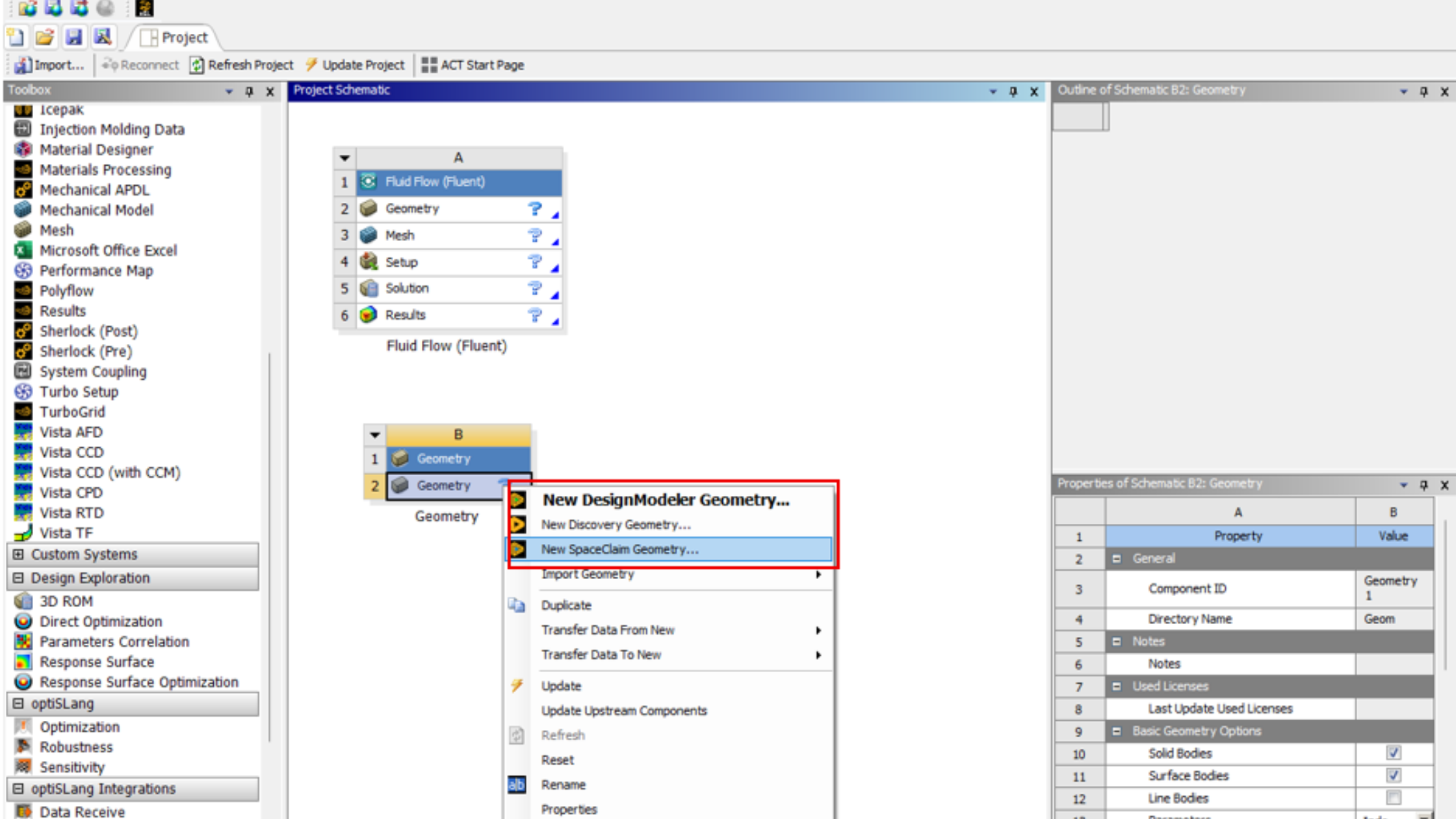
To understand how to use ANSYS CFD, starts by following a structured and repeatable workflow. If you are a beginner or an experienced analysis ANSYS Fluent CFD software is systematically designed over the logical simulation pipeline, which helps ensure accuracy and stability.
Geometry Preparation
Under geometry preparation, you can import or create geometry while using ANSYS SpaceClaim. Under this, you can clean up small gaps, design overlaps, and undo unnecessary features to avoid mesh issues. This step is critical for a reliable ANSYS CFD simulation.
Meshing
Meshing is the step when you generate a high-quality mesh using the ANYSYS meshing system. Here you choose accurate elements like the tetrahedral, hexahdral and polyhedral.
Under this, you can launch Fluent and define materials, flow models, turbulence models, and, if required, there are certain energy equations for Ansys Fluent heat transfer problems. You can apply boundary conditions such as velocity inlets, pressure outlets, and wall conditions.
Solver Configuration
Now you need to select a steady or transient solver and apply pressure-based or density-based formulations and appropriate discretization schemes.
Run & Post-Process
After this, you can execute the simulation, monitor residuals and key parameters, and post-process results using contours, vectors, and plots. This completes a full ANSYS CFD analysis cycle.
This workflow forms the foundation of any professional Ansys Fluent guide and prepares users to handle advanced features such as dynamic mesh and conjugate heat transfer.
Dynamic Mesh Methods
- Smoothing it helps in adjusting the node positions for small deformations
- Remeshing assists in regeneratingthe mesh when the cell quality drops
- Layering can help add or remove mesh layers for linear motion
- Remapping assists in transferring solution data between updated meshes
Read More: Ansys Simulation Software: The Detailed Guide to Engineering Excellence
Ansys Fluent Heat Transfer

Ansys Fluent heat transfer modelling is one of the capabilities of Ansys Fluent CFD Software. It helps engineers to predict temperature and thermal performance in complex systems accurately. Ansys Fluent supports all the major heat transfer models, including conduction, convection, and radiation.
Common Heat Transfer Use Cases
Ansys Fluent heat transfer is majorly used in many industries for applications like heat exchangers, electronics cooling, and conjugate heat transfer (CHT) problems. In heat exchangers, Fluent helps predict the heat transfer efficiency and whether there is any pressure drop under varying flow conditions. Under electronics cooling, it manages airflow and temperature rise in different components like heat sinks, PCBs, and enclosures.
Best Practices for Ansys Fluent CFD
Here are certain best practicesthat ares required to get accurate, stable, and efficient results when working with Ansys Fluent CFD. If you are a beginner learning what Ansys Fluent CFD is or an experienced analyst running complex models, these guidelines help improve reliability in every ANSYS CFD simulation.
Convergence, Mesh, and Model Selection Tips
Getting convergence is a critical step in ANSYS CFD analysis. The task is to always monitor residuals along with physical quantities such as mass flow rate, pressure drop, or heat flux.
Get a chance to perform a mesh independence study by gradually refining the mesh and comparing key results. This helps ensure that the solution is not sensitive to mesh size, and it improves confidence in Ansys Fluent CFD Software results.
For transient simulations, especially those which involves ansys fluent dynamic mesh you need to select the time based on the Courant–Friedrichs–Lewy (CFL) condition.
Performance and Efficiency Tips
You can now speed up the ANSYS CFD simulation while taking advantage of parallel processing. Select the appropriate solver and pressure-based on incompressible flows for high-speed compressible flows. Meanwhile, you can also reduce setup time by reusing templates, case files, and material libraries.
Learning and applying these best practices becomes easier with guided training from an industry-focused Ansys Fluent CFD Online Course, especially for beginners and early-career CFD engineers.
What is ANSYS Fluent vs Other CFD Software
This is one of the most common questions that engineers, students, and researchers have when it comes to choosing their CFD simulation tool.
- ANSYS CFX is another ANSYS product with different strengths
- OpenFOAM is one of the most popular open-source alternatives
- STAR-CCM+ is Siemens’s comprehensive CFD platform
- COMSOL is another multiphysics software with CFD capabilities
Conclusion
Ansys Fluent Helps Make Better, Faster Decisions Through Innovation. Ansys Fluent allows ample amount of time to innovate and optimize product performance. When you trust your simulation results with software that has been extensively validated across a wide range of applications. With Ansys Fluent, you get a chance to create advanced physics models and analyze a variety of fluid phenomena everything in a customizable and intuitive space. Get access to live lectures.
Enroll now in PIGSO Learning ANSYS Fluent CFD Training Course Online as we aim to provide a structured, industry-focused training programs that bridge theory with practical implementation.
With hands-on projects, expert mentorship, and real-world case studies, PIGSO helps students, CFD engineers, and product designers.
FAQs
Where can I learn Ansys Fluent?
At PIGSO Learning, you get a chance to learn about the basic to advanced-level concepts of Ansys Fluent. Here at PIGSO Learning, you will find comprehensive training as we aim to provide a structured, industry-focused training program that bridges theory with practical implementation. Courses are designed with a structured syllabus, examples, and real-world case studies.
How to perform CFD in ANSYS?
Basics of Computational Fluid Dynamics Simulation with Ansys Fluent Software
1. Create or import a CAD geometry into Ansys Workbench.
2. Implement a basic mesh in Ansys Fluent.
3. Apply boundary conditions.
4. Set up and analyze CFD simulation results.
How do I run a CFD simulation in Ansys Fluent?
You can run a CFD simulation in Ansys Fluent while involving a structured workflow, which ensures accurate and reliable results.
First, you need to import or create your geometry while using ANSYS Workbench or SpaceClaim, and then you need to generate a high-quality mesh, which can affect the accuracy of the ANSYS CFS simulation
Once the physics is defined,d you can configure the solver settings by choosing a steady and transient analysis, which analyzes the solution and run iterations till the convergence is achieved.
What is a dynamic mesh in Ansys Fluent, and when should I use it?
Ansys Fluent dynamic mesh is a feature that is known to create a computational mesh to move, deform, and update automatically during the process of simulation. In Ansys Fluent CFD synamic mesh is used for applications that involve moving components like pistons, valves, rotating blades, and fluid structures.
Can Ansys Fluent simulate heat transfer and conjugate heat transfer?
Yes, Ansys Fluent heat transfer models are known to be one of the most powerful features of Ansys Fluent CFD softwarres it helps simulate all major heat transfer from conduction, convection, and radiation. It also supports conjugate heat transfer, where the heat is transferred between the solids and fluid regions.

Simran Shekhawat is an experienced SEO content writer with three years of hands-on experience in crafting high-impact digital content. With a strong command of search engine optimisation practices, she specialises in creating content that not only reads well but also ranks effectively. Her expertise encompasses keyword research, topic clustering, on-page SEO, content strategy, and crafting copy that aligns with both user intent and brand objectives.